Pause before the scroll.
FocusPause leaves room for one breath when you open a distracting app. It does not decide for you. It simply lets your mind catch up with your thumb.
Core flow is free · Requires iOS 18 or later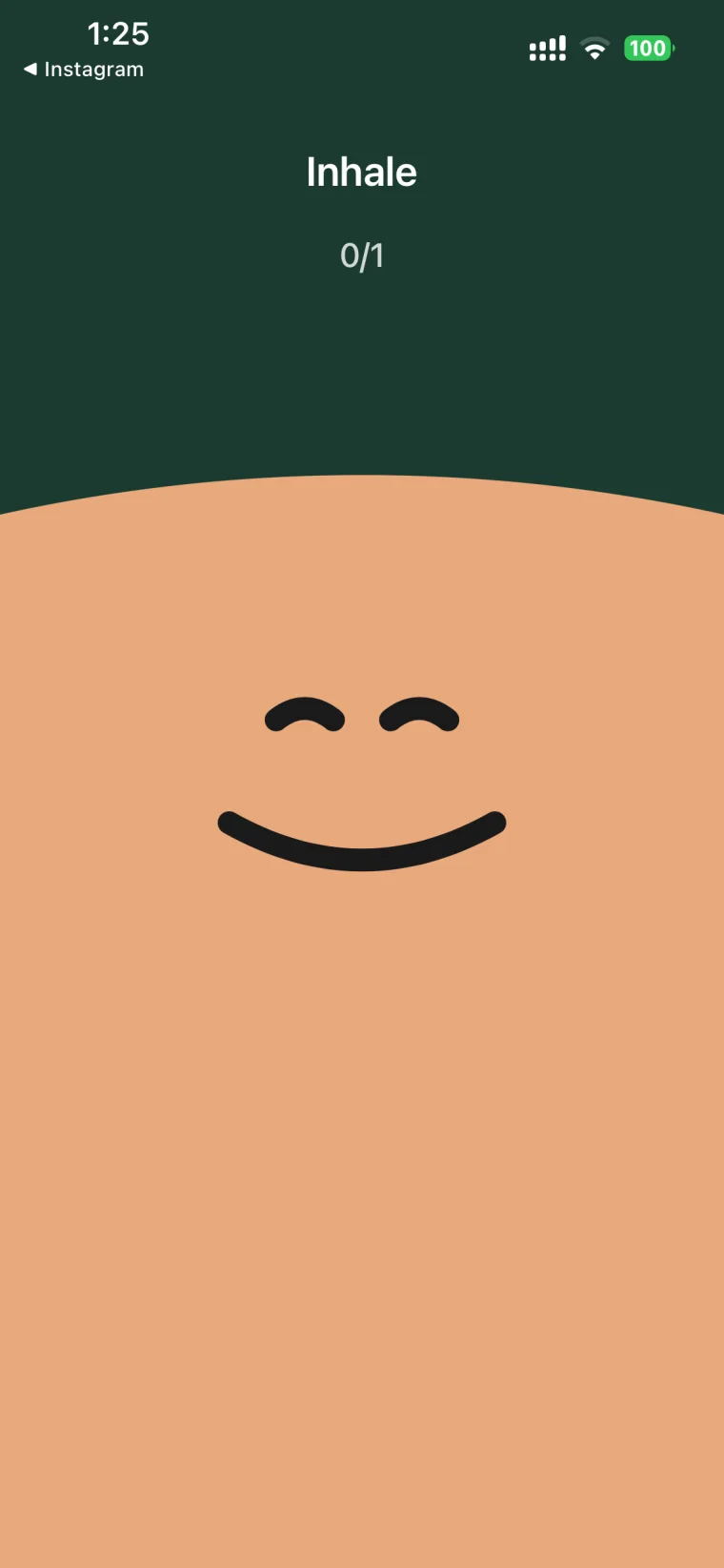
Turn an automatic tap back into a choice.
FocusPause does not manufacture discipline by locking everything down. It puts one small decision back where it is most often missed: before an app opens.
What are you opening this app to do?
Choose a concrete purpose, then give it a time limit. “Reply to messages” is easier to follow than a vague promise to use your phone less.
Choose a purpose · Set a limit · Continue or leave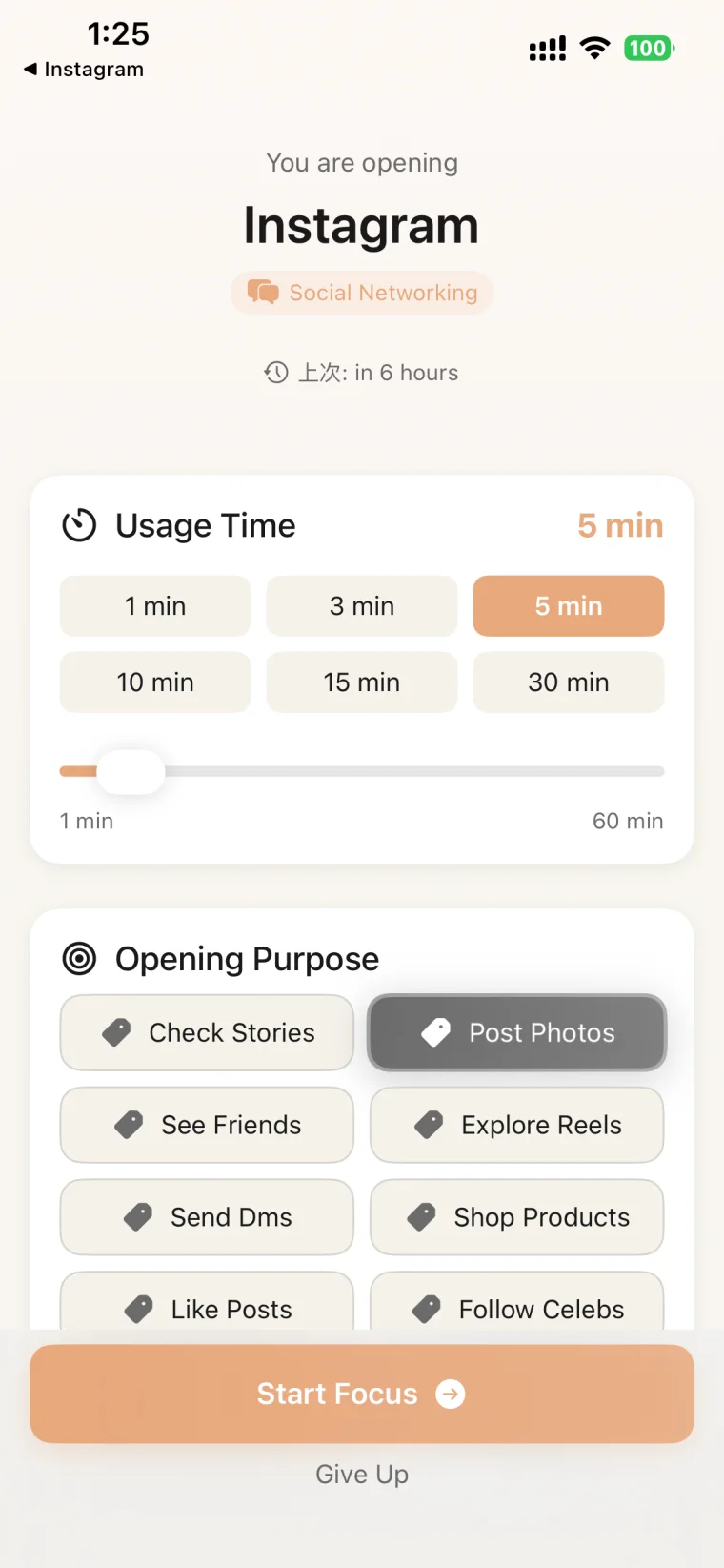
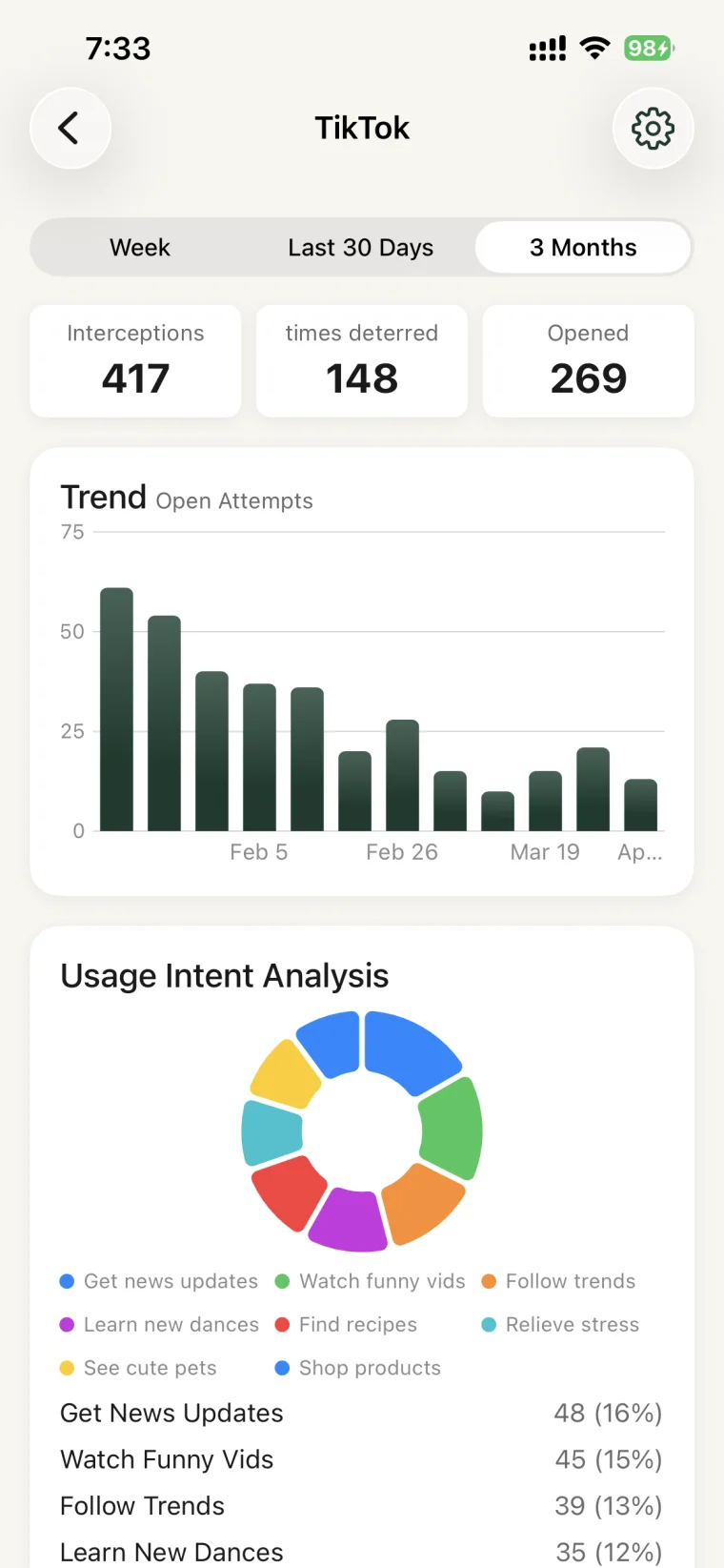
See where the pause worked—and where it did not.
The review connects interception, purpose, breathing, and opening into one path. You see which part needs changing, rather than receiving one blunt screen-time total.
Trends · Opening path · Usage intentYour habits do not need to leave your device.
Focus records stay on your device. The developer does not collect or upload personal data; subscriptions and purchases are handled by Apple through the App Store.
A few things to make clear before you start.
How does it appear when another app opens?
You create a personal automation in Apple Shortcuts. When a selected app opens, the automation starts the FocusPause pause flow.
Does it force-lock my apps?
The current App Store version does not permanently lock apps. You pause, choose a purpose and intended time, then decide whether to continue or leave.
What can I do for free?
The free version protects up to 2 apps and includes the complete pause, purpose, and intended time flow.
Give yourself half a second before the next tap.
Start free with the two apps that distract you most.